


|
|
|
|
|
Once the list of clients with reminders has been generated using the reminder schedule, these clients can be reminded about the procedure that is due in several ways. Postcards, Customised letters, Adhocs, Email, SMS Txt or the clinic might choose to phone the clients. The client information in the reminder list, together with the VisionVPM merge facility, make any of this possible.
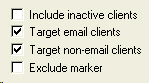
Make use of the Reminder Schedule options: Target email clients or Target non-email clients to tailor your reminder lists to the channel you are using:
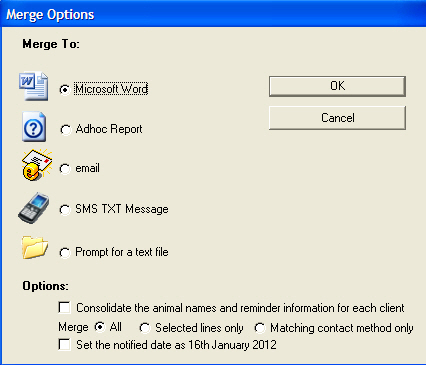
The Document window will be displayed:
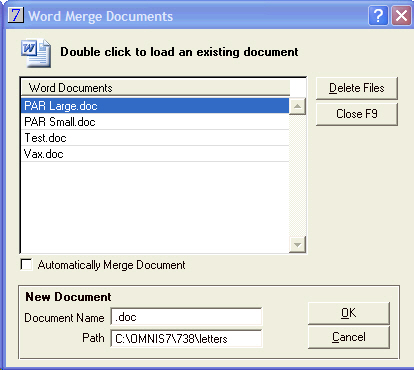
To create a new merge document refer to the Section - TO CREATE A NEW WORD DOCUMENT.
These are the Merge Fields available when creating a Word Document from a Reminder Schedule.
Merge Field |
Description |
Merge Field |
Description |
Code |
Client Code |
Number |
Client Number |
Title |
Client Title |
Firstname |
Client Firstname |
Lastname |
Client Lastname |
Company |
Client Company Name |
Street |
Client Address Line 1 |
Street2 |
Client Address Line 2 |
Suburb |
Client Suburb |
City |
Client City |
Postcode |
Client Postcode |
JoinDate |
Date of First Visit |
EmailAddress |
Client Email Address |
ClientCustom1 |
Client Custom Field 1 |
ClientCustom2 |
Client Custom Field 2 |
ClientCustom3 |
Client Custom Field 3 (on the settings tab) |
ClientCustom4 |
Client Custom Field4 (on the settings tab) |
ChargingDistance |
The number of Km from the Client's Address to the clinic |
WrittenOff |
The total amount that has been written off for the client |
CurrentDue |
The clients current balance due |
OneMonth |
Clients one month balance due |
TwoMonth |
Clients two month balance due |
ThreeMonth |
Clients three month balance due |
CreditLimit |
Client Credit Limit |
LastActivityDate |
Date of the last payment received by the client |
AnimalName |
Name of Animal |
AnimalDesc |
Colour |
AnimalNumber |
Microchip No. |
Species |
Animal Species |
Breed |
Breed of Animal |
AnimalDOB |
Birth Date |
AnimalAge |
Age of Animal |
AnimalSex |
Sex |
AnimalNeuter |
Neuter |
AnimalsWeight |
Current Weight |
OptimalWeight |
Optimal Weight |
AnimalPhoto |
Will display the animal photo if one is loaded |
EquineLocation |
Location |
EquineSire |
Sire |
EquineDam |
Dam |
AnimalCustom1 |
Custom Field 1 |
AnimalCustom2 |
Custom Field 2 |
AnimalCustom3 |
Custom Field 3 |
AnimalCustom3 |
Custom Field 4 |
ReferralVetName |
Referral Vet's Full Name |
ReferralVetFirstName |
Referral Vet's First Name |
ReferralVetHospital |
Referral Vet Hospital Name |
ReferralVetStreet |
Referral Vet Street Address |
ReferralVetSuburb |
Referral Vet Suburb |
ReferralVetCity |
Referral Vet City & Postcode |
ReferralVetPhone |
Referral Vet Phone |
ReferralVetFax |
Referral Vet Fax |
BodyScore |
Animal Body Score |
DentalScore |
Animal Dental Score |
ReminderCode |
Reminder Code |
ReminderDesc |
Reminder Description |
ReminderDate |
Reminder Date |
RemAnimalName |
Reminder Animal Name |
ReminderQty |
Qty of stock invoiced for reminder. |
ReminderStatus |
Status - used for adding a client marker |
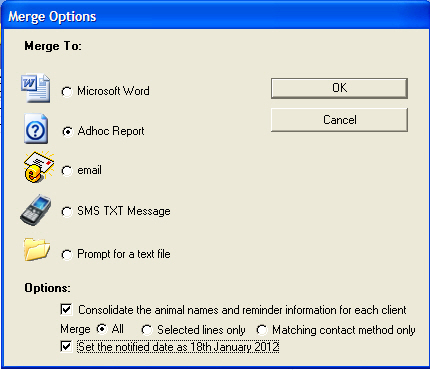
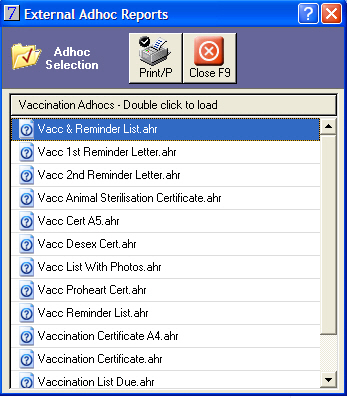
An example of the Vacc & Reminder List.ahr.
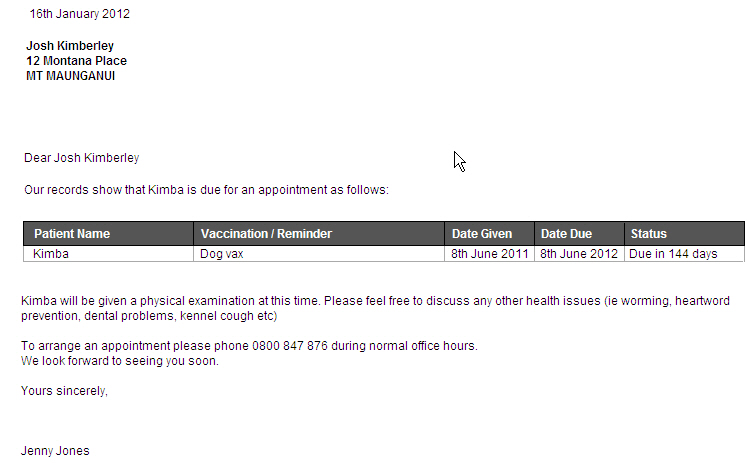
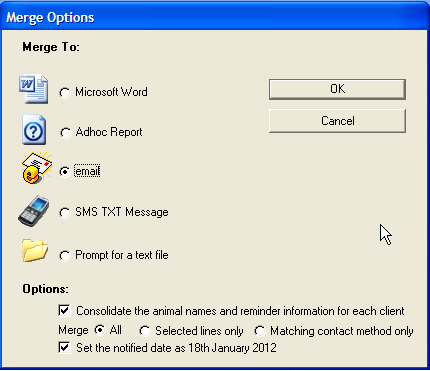
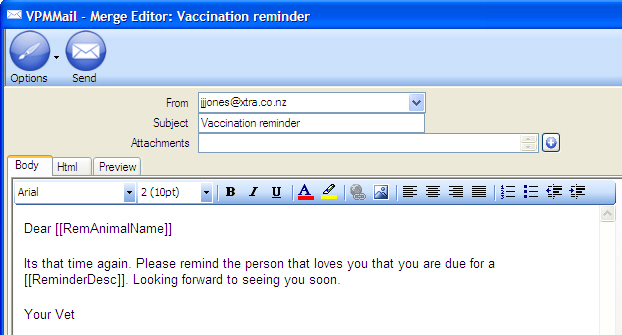
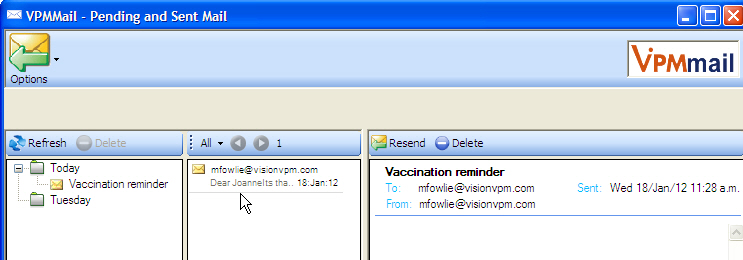
An example of a Vaccination Reminder emailed.

Go to:
Main Menu > Client Module > Client > Email / SMS Options > Open Email Outbox > Today > + sign beside Today
This will give you a list of emails sent and also emails that were unsent.

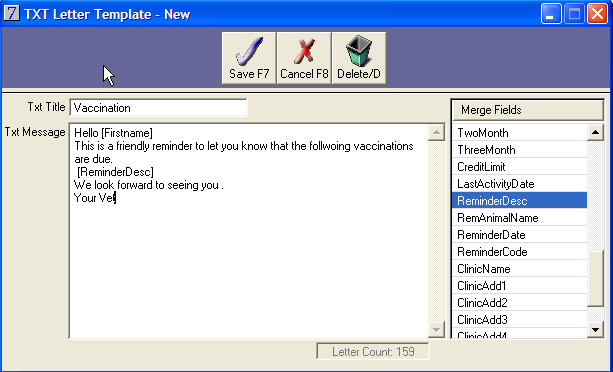
Go to:
Main Menu > Client Module > Clients > Email \ SMS Options > Open Txt Message List
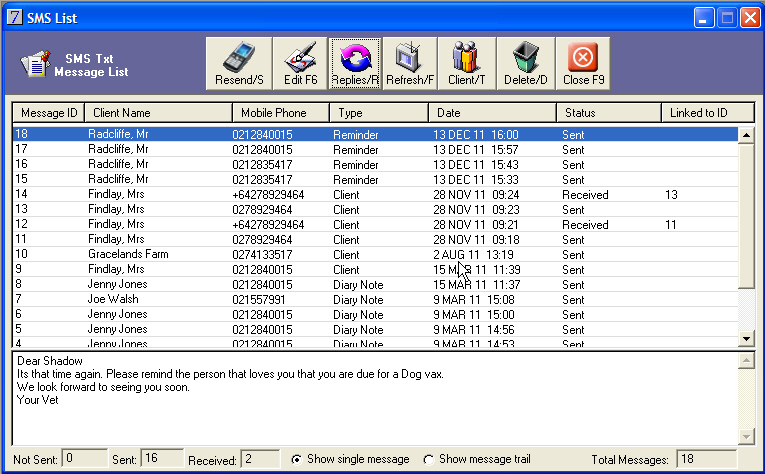
To check for Replies :
Click on the Replies button and to refresh the displayed list click on the Refresh.
Once the reminder list has been generated, click Labels to create mailing labels for the clients on the list. Options for label setup can be found on the Client tab in Maintenance > System Defaults.
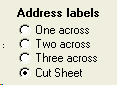
Click the Cut Sheet option to open further label options:
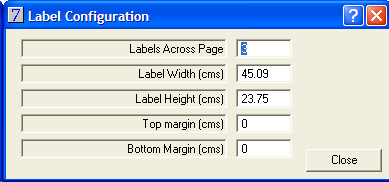
Labels can be viewed before printing by selecting Labels, then Screen as the Report Destination.
Once the reminder list has been generated, click Print to create a phone list of clients.
This provides a list displaying the client code, name and phone number, the animal name, and the type and date of the reminder.
Refer to the Merging to email section for more detail on the use of VPMMail.
See Also |